
Multi-site
Run maintenance across every property
Each site keeps its own structure, its own teams and its own due dates. You keep the overview that compares them. As many properties as you need, managed from a single place.
- One structure per site
- Permissions by property
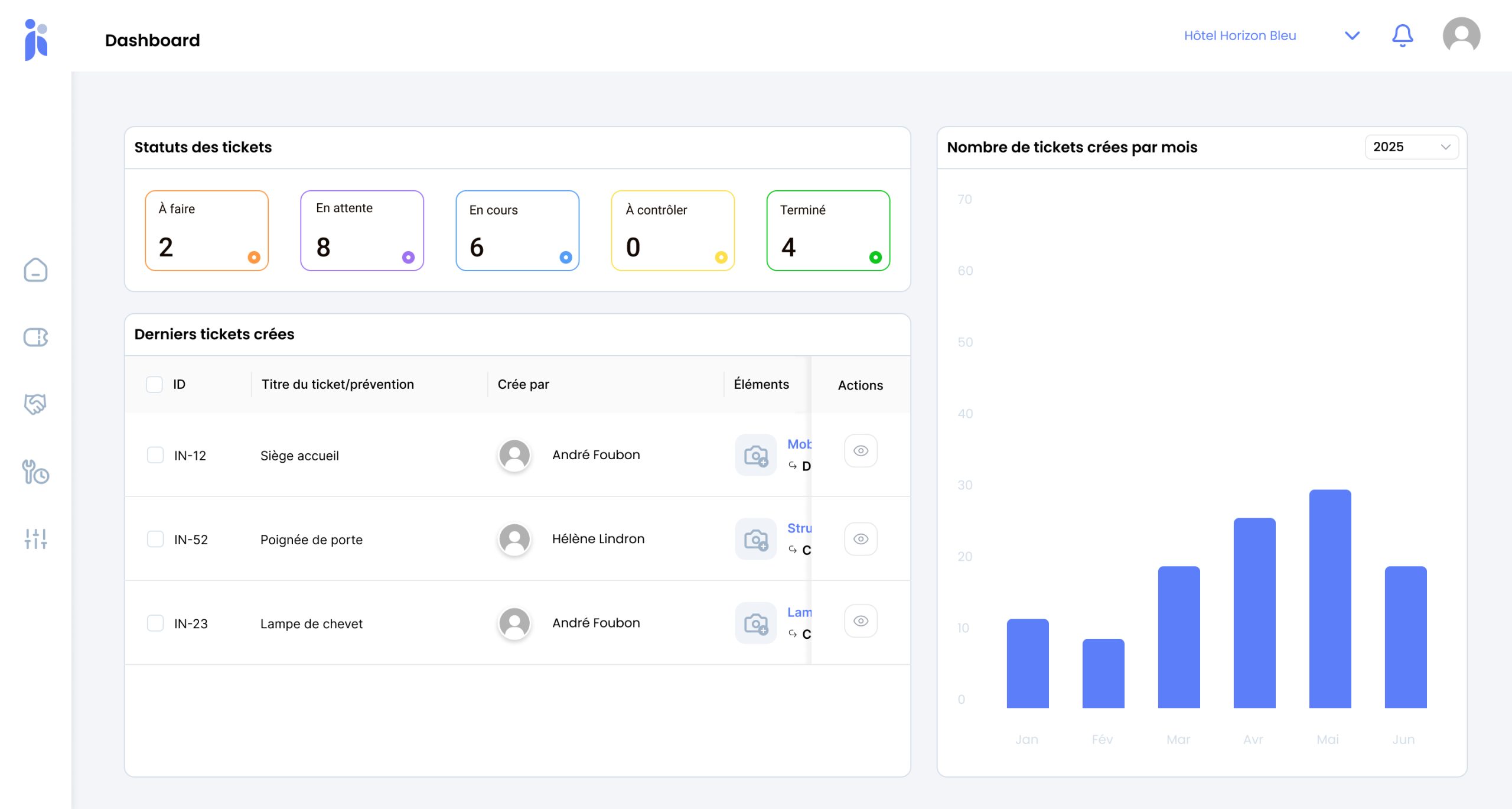
- One consolidated view
- Good practice, replicated
Running three hotels is not running one hotel three times
Each has its own fabric, its own age, its own equipment, its own team. What really changes is that you now have to compare them – and you have nothing to compare them with.
A group that grows collects tools as fast as it collects properties: a spreadsheet here, a notebook there, a shared mailbox somewhere else. Every site works in its own way, which is no bad thing in itself; the problem is that no question spanning the estate ever gets an answer. Which of my sites consumes the most maintenance, and why? Is it the age of the building, the headcount, or the way the team is organised? Without a common foundation, those questions go unanswered – or worse, come back with the wrong answer.
Tools that keep multiplying
One site, one method. Adding them up does not give you control, it gives you a pile.
Comparison made impossible
When the data is not built the same way, comparing two properties means nothing at all.
Good practice that never travels
Whatever one site has already solved, the others rediscover on their own.
How a multi-site setup is organised
The principle is simple: a structure of its own for each site, shared rules, one consolidated reading.
-
A structure of its own for each site
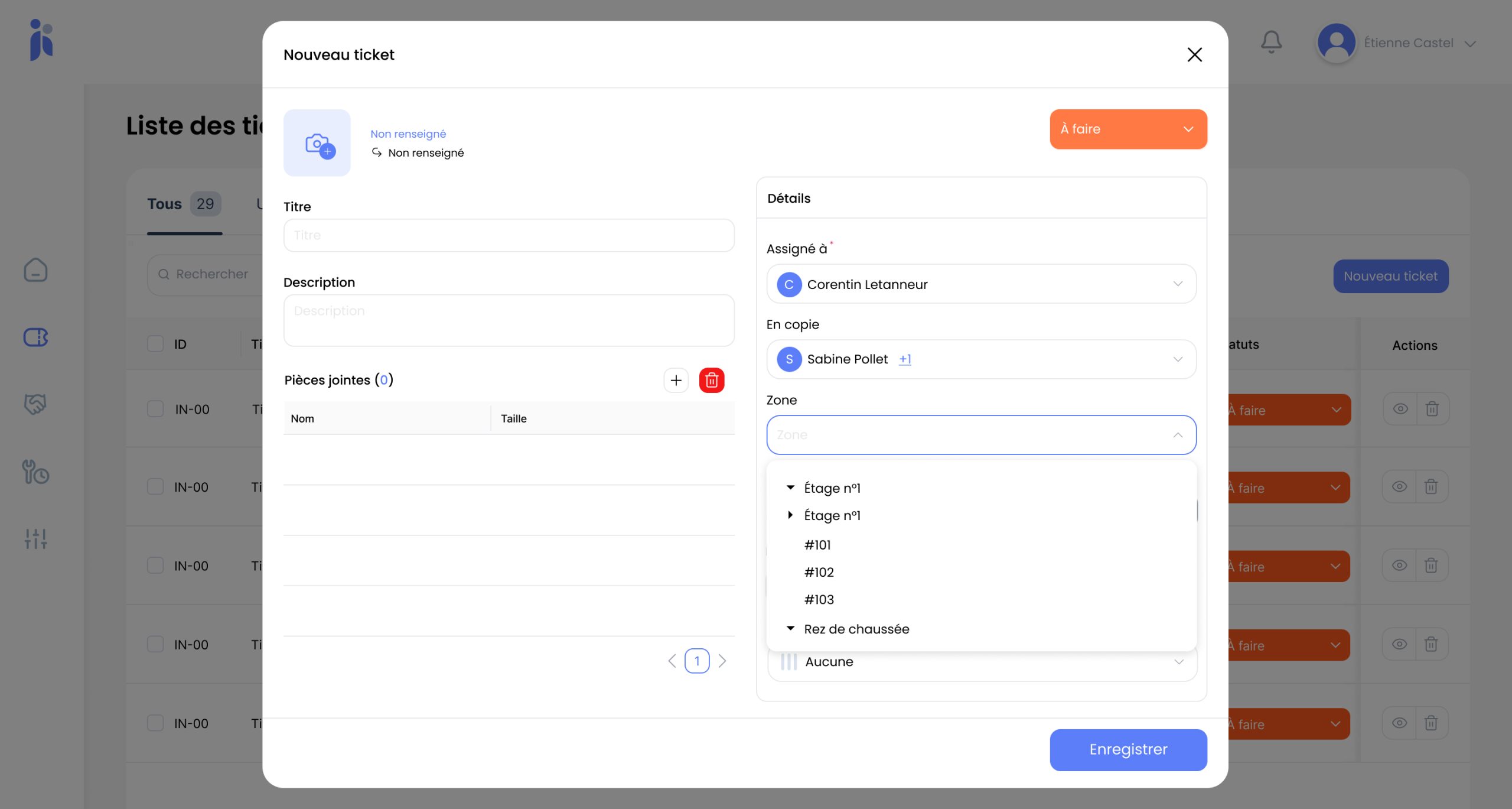
Buildings, floors, zones, rooms, equipment: each property describes itself as it actually is. A resort and a city-centre hotel do not share the same geometry, and nothing forces them to.
-
Teams and permissions by property
A site manager sees and runs their own. The technical director sees the whole estate. Roles keep one site out of another site's data.
-
A consolidated view that compares
Volumes, statuses, lead times: the same indicators for everyone, built the same way. That is what it takes for a comparison to mean something.
-
Ways of working that can be replicated
A preventive maintenance schedule that works on one site becomes the starting point for the next. Comparable properties stop starting from scratch.
Rolling out across several properties
The classic mistake is trying to start everywhere at once. The right method is sequential.
-
Start with a pilot site
The one with the keenest team, not necessarily the largest. This is the site that will produce the method.
-
Settle the shared rules
Equipment families, priority levels, statuses, zone naming. That foundation has to be agreed once and for all before it is replicated anywhere.
-
Extend one site at a time
Each new property picks up the foundation and adapts it to its own geometry. Every rollout goes faster than the last.
-
Local teams keep the controls
A site runs its own maintenance day to day. Consolidating takes nothing away from autonomy on the ground.
-
Read the estate as a whole
And pay attention to the outliers: a site drifting on lead times or volumes is asking a question worth a visit.
What you gain
A comparison that means something. The same indicators, built the same way, across every property.
Drift spotted early. A site falling behind shows up long before the problem becomes structural.
Good practice that travels. What works in one place gets replicated instead of reinvented.
A rollout that keeps getting faster. Each new site inherits the foundation built by the one before it.
Local autonomy preserved. The site keeps the controls, the group keeps the view.
Investment decisions made on evidence. You know where to put the budget, and what the decision rests on.
Frequently asked questions
Do all our sites have to be organised the same way?
No, and it would be counterproductive. Each property describes its own geometry. What does have to be shared are the conventions – equipment families, priority levels, statuses – because those are what make comparison possible.
Can a site manager see the other properties?
That is handled through roles. The most common setup gives each manager control of their own site and the technical director the overview. Nothing obliges you to open it up any further.
How many sites should we start with?
One. The pilot site is there to build the method and to identify the conventions worth fixing. Starting everywhere at once simply multiplies your early mistakes by the number of sites, and makes them far more expensive to put right.
How do you compare properties that are very different?
By relating volumes to a common base – room count is the most telling one in hospitality. A resort and a city-centre hotel do not compare in absolute terms, but they compare very well on jobs per room or on average time to close.
Can a contractor be shared across several sites?
Yes, and it is common on regulated equipment. The added benefit is being able to compare their real lead times from one site to the next, which gives you concrete arguments when the contract comes up for renegotiation.
What changes when we add a site?
Structurally, nothing: the new property picks up the foundation and describes its own geometry. In practice the effort shifts towards supporting the local team – adoption, not configuration, is what decides whether it works.
Explore further
The features that make running several properties straightforward.
Let's look at how to run your properties as one
Thirty minutes on your estate, your local teams and what you want to compare. No commitment.